
 Weltweit im Ruhestand
 wuzze.de
Zuletzt aktualisiert 21. Oktober 2026
DISM /Online /Cleanup-Image /RestoreHealth took 70 min instead of the typical 15 min on my AI X1-470 Pro. I found this suspicious from a stability and security standpoint.
Causes might have been me plugging in a network cable during setup (after WLAN was already connected), a failed Windows Update „2026-07 Preview Update (KB5101684) (26200.8973)“ or The Minisforum OEM out-of-the-box install (AI thought it might have an outdated Servicing Stack Update).
Fix: Clean install via USB stick using the Windows Media Creation Tool, plus manual install of the Minisforum driver package. The mentioned update has since installed successfully, and DISM runs normally again.
Beware! Windows Security flags the .bat installers of the driver package as viruses, and they don’t give a success message when run.
I had Claude AI write me this PowerShell script to install the drivers in one go instead:
$driverRoot = „D:\GPBAC_GPT_MINISFORUM_Drivers_x64_260116“
$folders = @(
„$driverRoot\Realtek_Ethernet\Drivers“,
„$driverRoot\MTK_EB600_Bluetooth“,
„$driverRoot\MTK_EB600_Wi-Fi“,
„$driverRoot\Realtek_Audio“,
„$driverRoot\Realtek_Audio_APP“,
„$driverRoot\RealtekMoc_FingerPrint“
)
foreach ($folder in $folders) {
Write-Host „=== $folder ===“ -ForegroundColor Cyan
pnputil /add-driver „$folder*.inf“ /subdirs /install
Write-Host „“
}
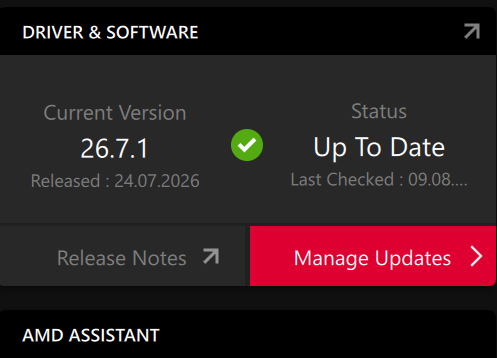
AMD has newer GPU- and chipset drivers than Minsiforum:
Drivers and Support for Processors and Graphics
Nach Insallation einer Version von dort biete das Adrenalin Tool einen Update-Check
Windows Sandbox in Oct 2026 loses connection when playing video in Sandbox. No fix available.
Schreibe einen Kommentar